Xtream Codes
Xtream Codes player for LG TV
Xtream Codes is a login format many IPTV providers use: a server address, a username and a password, instead of a playlist file. ZovelyHub accepts those three values on an LG webOS television and does the rest — channels, films and series, organised for a remote.
What ZovelyHub is
- ZovelyHub is a Smart TV IPTV player.
- It plays a playlist you already have: an M3U link or an Xtream Codes account.
- It is published for LG Smart TVs running webOS. Samsung Tizen is coming soon.
- One activation covers one television. A free trial runs first, on the television itself.
What ZovelyHub is not
- It is not an IPTV provider and does not sell IPTV subscriptions.
- It does not provide, host, resell or distribute channels, films or series.
- It includes no content of any kind. You connect a source you are authorised to use.
- It is not affiliated with or endorsed by Duplex, DuplexPlay or any provider.
Adding an Xtream account
Three fields, entered once
The details go into this website, not the television. The password is stored encrypted and is never shown back — not here, not on the TV, not to support.
- 01
Pair the television
Open ZovelyHub on the LG and enter its code on the activation page.
- 02
Add the account
Choose Xtream account and enter the server address, username and password your provider issued.
- 03
Watch
The television signs in to the provider, fetches the catalogue and lays it out as Live TV, Movies and Series.
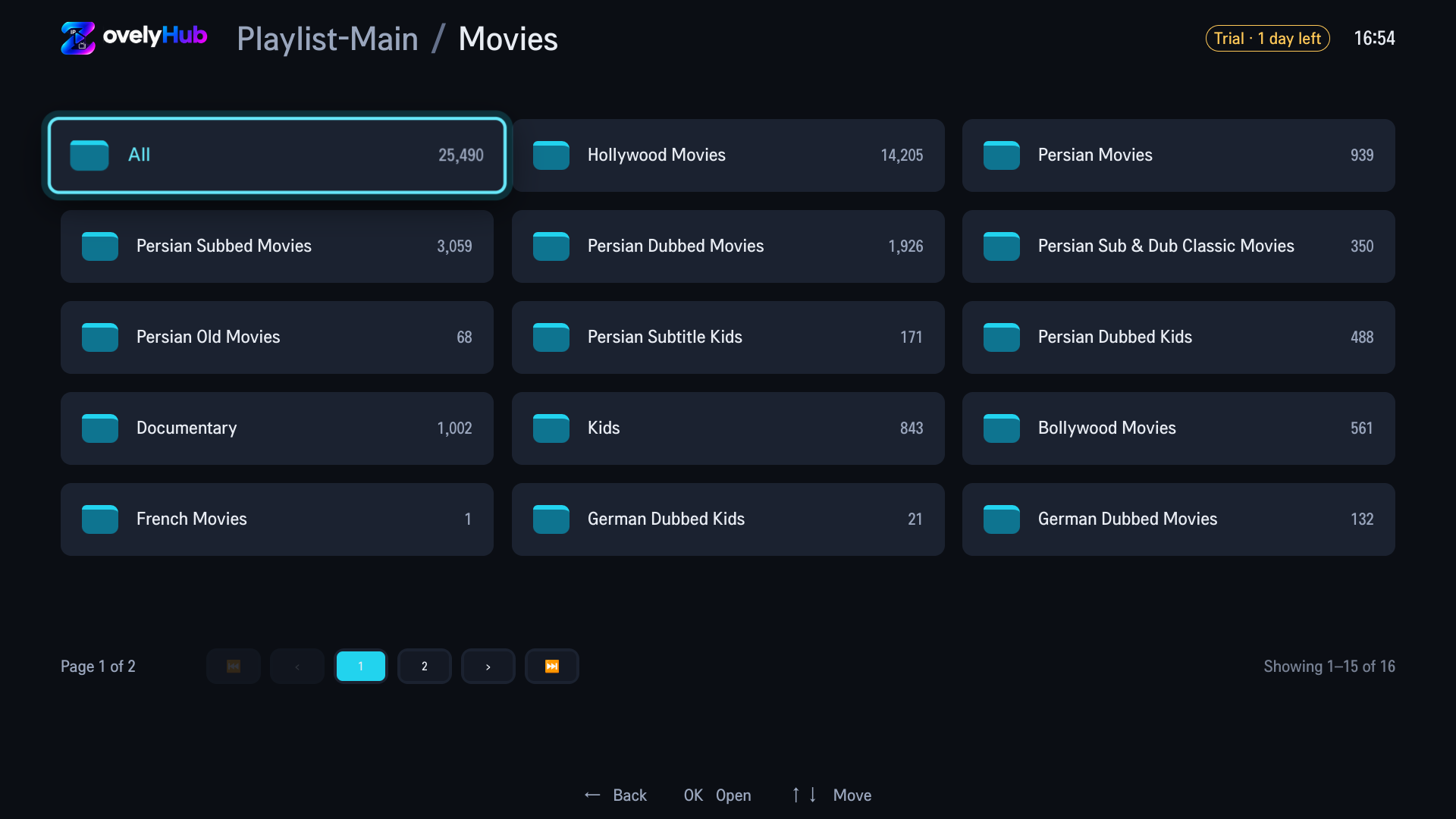
On the television
What an Xtream account becomes
- Categories with counts, in the provider's own order and names.
- Paged lists that stay navigable at tens of thousands of entries.
- If the provider rejects the sign-in or the subscription ends, the Playlists page says so — in words, not a spinner.
- An M3U link and an Xtream account can sit side by side on the same television.
Changing the password later? Rotate it on the website and the television picks up the new one; the old one is never displayed.
To be clear
No account is included
ZovelyHub does not sell, resell or recommend Xtream Codes accounts, and has no arrangement with any provider. The login is yours, from a provider you chose. If your provider gave you a playlist link instead, see the M3U guide.
Questions
Asked before
Does ZovelyHub support Xtream Codes?
Yes. An Xtream account — server address, username and password — is the other source the portal accepts. The password is stored encrypted and is never displayed back to anyone, on the website or on the television.
How do I add my IPTV playlist?
Open ZovelyHub on your television and pair it with this website using the code it shows. Then, on the website, add your playlist: paste an M3U link, or enter the server address, username and password of an Xtream account. The television picks it up on its next refresh.
Does ZovelyHub sell IPTV subscriptions?
No. Nothing you pay ZovelyHub buys access to any content. The only thing sold is an activation of the player itself, for one television. A subscription to channels, films or series is something you arrange with a provider of your choosing, on their terms.
Do I need an account or password?
No customer account password is required for code-based pairing. The temporary code shown on the television creates a browser session.
Try it on your own television
Free to start. Your playlist, your LG.
Open ZovelyHub on the TV, enter its code here, add your playlist.