LG webOS
IPTV player for LG webOS TV
ZovelyHub is an IPTV player application for LG Smart TVs running webOS. It takes the M3U link or Xtream Codes account you already have from your provider and turns it into Live TV, Movies and Series on the television — with favourites, search, subtitles and a parental PIN, all driven from the LG remote.
What ZovelyHub is
- ZovelyHub is a Smart TV IPTV player.
- It plays a playlist you already have: an M3U link or an Xtream Codes account.
- It is published for LG Smart TVs running webOS. Samsung Tizen is coming soon.
- One activation covers one television. A free trial runs first, on the television itself.
What ZovelyHub is not
- It is not an IPTV provider and does not sell IPTV subscriptions.
- It does not provide, host, resell or distribute channels, films or series.
- It includes no content of any kind. You connect a source you are authorised to use.
- It is not affiliated with or endorsed by Duplex, DuplexPlay or any provider.
Setup
How it works on an LG television
Three steps, and none of them is typing a password into a television with a remote control.
- 01
Install and open ZovelyHub
ZovelyHub is distributed through the LG Content Store; availability depends on your model and region. Open it and the setup screen shows a short-lived code.
- 02
Pair it with this website
Enter that code on the activation page, or scan the QR code the television shows. The browser is now connected to that one set.
- 03
Add your playlist
Paste an M3U link or enter an Xtream Codes account. The television downloads it and lays it out for you.
Live TV, Movies, Series
Your playlist, sorted the way your provider sorted it
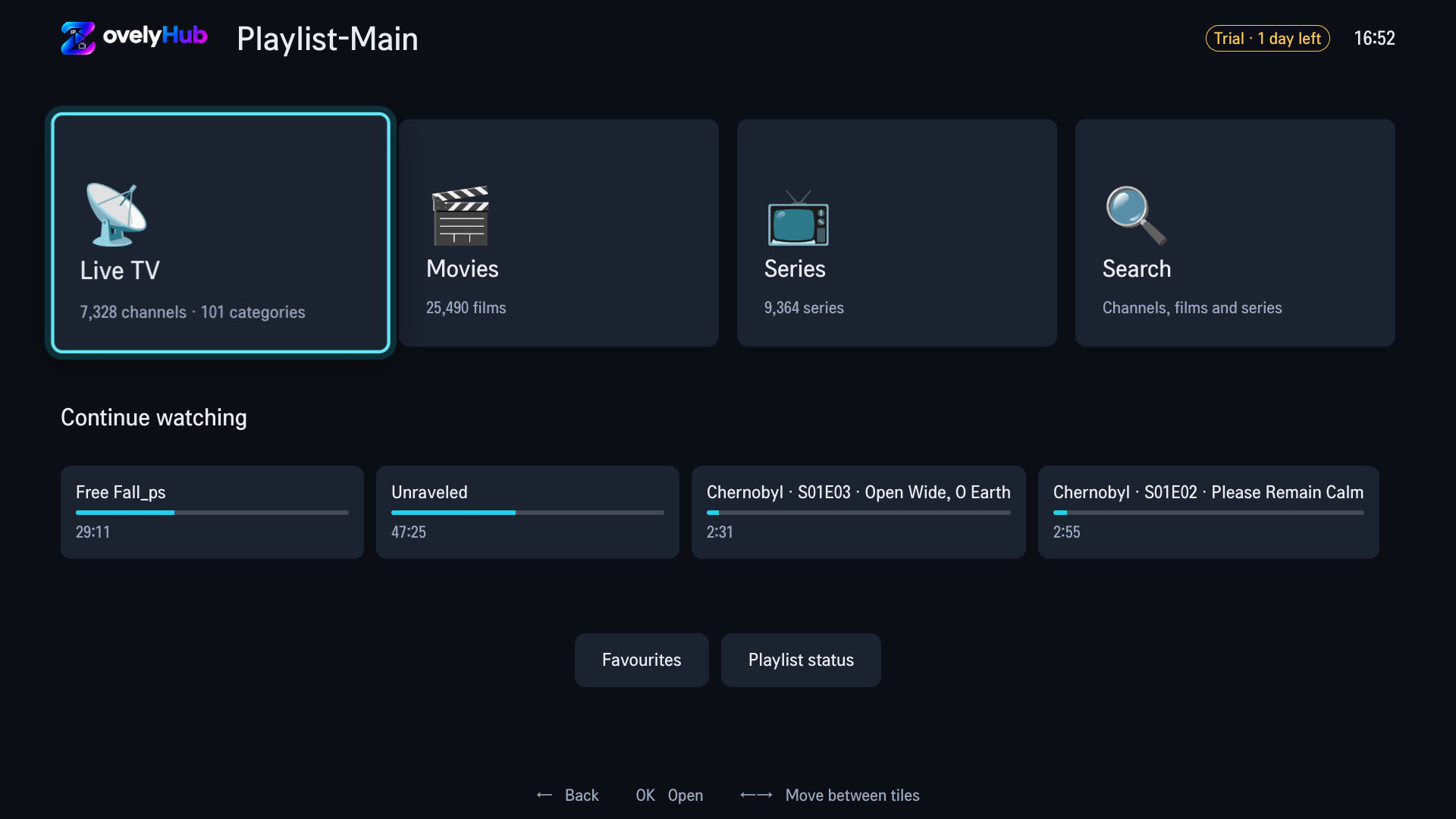
The home screen counts what came down the playlist — channels and categories under Live TV, films under Movies, series under Series — and Search covers all three by name. Categories are kept in your provider's order and under your provider's names.
- Continue watching brings back what you were part-way through, at the position you stopped.
- Long lists are paged, with first, previous, next and last on the d-pad.
- Optionally open Live TV on the channel you were last watching.
Favourites
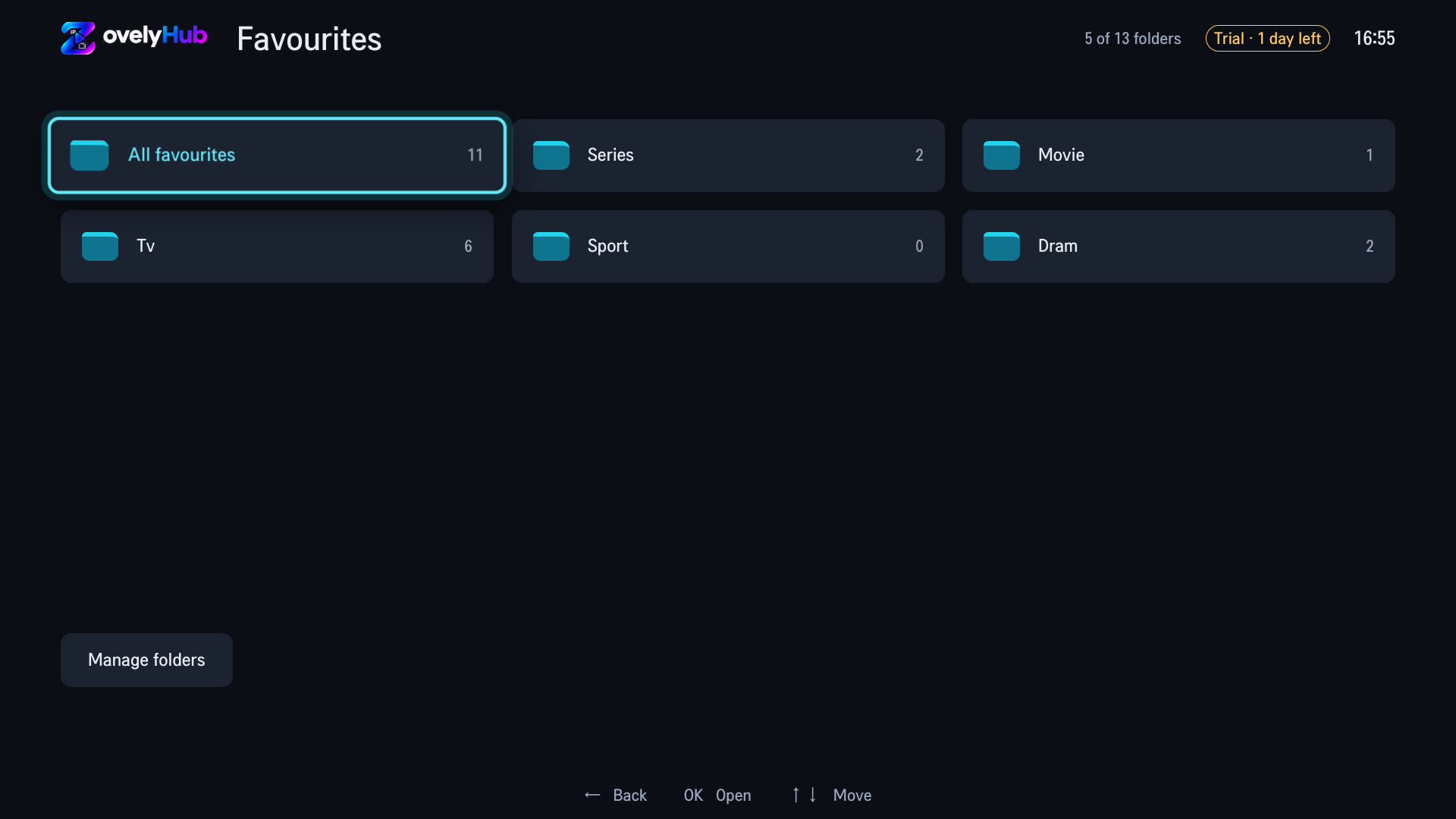
Up to 13 folders, named by you
Channels, films and series can all go in the same folder. Add, rename and delete folders from the favourites manager on the television, and press the green key on anything to save it.
Subtitles and audio
Embedded subtitles, and a real audio menu
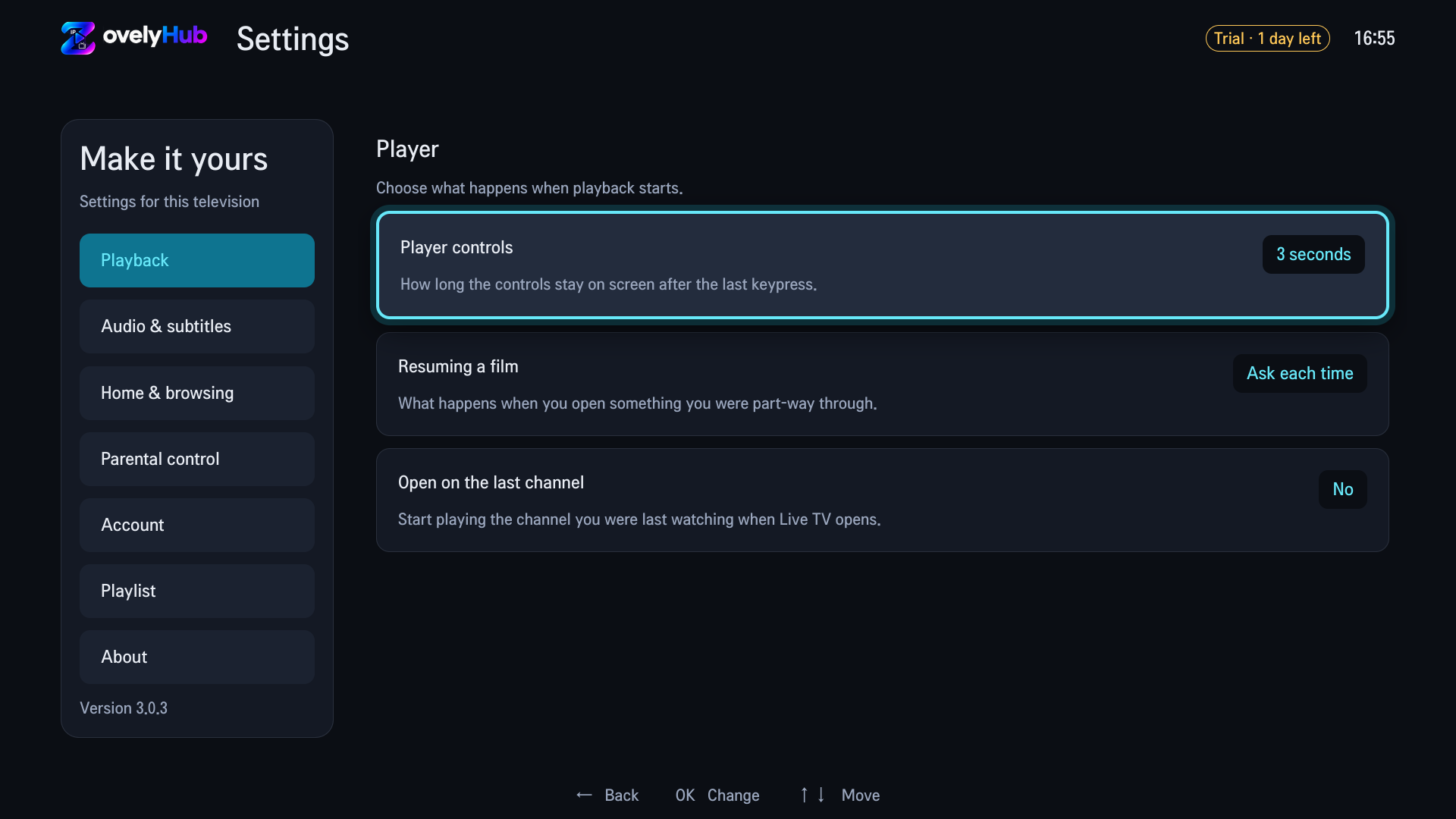
Subtitle tracks carried inside a film — embedded in MP4 and MKV files — can be shown, and preferences live under Audio & subtitles in Settings. Where a film carries more than one audio track, the menu names each by language, codec and channel count, so a 5.1 mix and a stereo downmix are a real choice.
- Whether a film has subtitles depends on the file your provider serves.
- Player controls, resume behaviour and the last-channel option are each one setting with its meaning on the screen.
Parental control
Lock the folders you choose, on the television
Set a four-digit PIN on the TV and pick the playlist folders or categories it protects. Everything else stays open. No website setup, and no master PIN anywhere.
Activation
One television, one activation
The player is free for a trial period that starts when you activate the television; the app shows the days remaining. After that, an activation covers that one set — the options and prices are on the activation page, and payment is taken on the payment provider's own page.
Questions
Asked before
Does ZovelyHub work on LG webOS?
Yes. LG webOS is the platform ZovelyHub is published for. LG store availability and compatibility depend on your model and region, so check before purchasing — the free trial exists so you can try it on your own set first.
Which televisions are supported?
ZovelyHub is designed for LG Smart TVs running webOS. Samsung Tizen is coming soon. LG store availability and compatibility depend on your model and region; check before purchasing.
Is ZovelyHub an IPTV provider?
No. ZovelyHub is a player, not a provider. It does not sell, host, resell or distribute IPTV subscriptions, channels or streams, and it has no content of its own. You connect a source you are authorised to use, and the application plays it.
Does ZovelyHub support subtitles?
Yes. Subtitle tracks carried inside a film — embedded in MP4 and MKV files — can be shown, and subtitle preferences live under Audio & subtitles in the television’s Settings. Whether a given film has subtitles depends on the file your provider serves.
Is there a free trial?
Yes. The player is free to use for 7 days from the moment you activate your television, and the app shows the days remaining while the trial runs. No payment details and no account are needed to start it. When it ends the player stops until you choose an activation; your playlists, favourites and settings are kept.
Try it on your own television
Free to start. Your playlist, your LG.
Open ZovelyHub on the TV, enter its code here, add your playlist.